Genie AI Assistant
What Genie AI Assistant Does
Genie is your built-in AI assistant inside GCXONE. Instead of jumping between screens to find what you need, you just ask - and Genie gets it done.
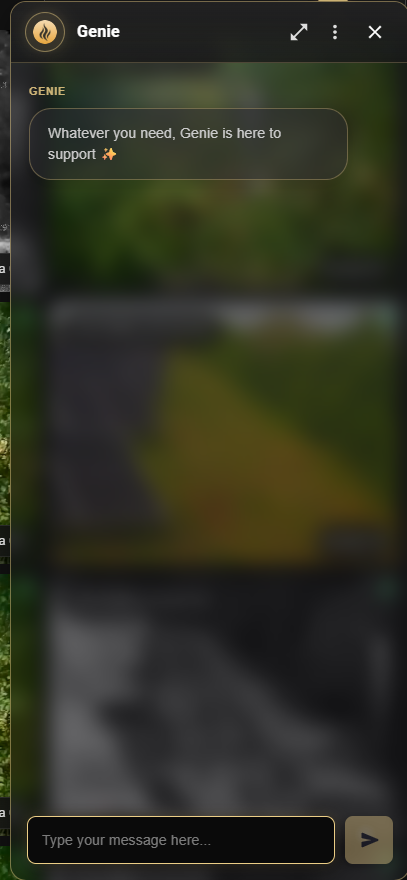
It sits as a floating panel on your dashboard, always there when you need it.
Why It Matters
In fast-paced operations, every second counts. Hunting through multiple screens for an alarm summary or a ticket update breaks your focus and slows your team down. Genie cuts through that - you ask a question, you get an answer, right where you are.
How It Works
Click the Genie icon and the assistant panel opens up. You'll see five topic tabs that match the things you do most. Pick one, or just type your question directly - either way, Genie pulls the relevant data or options straight into the panel.
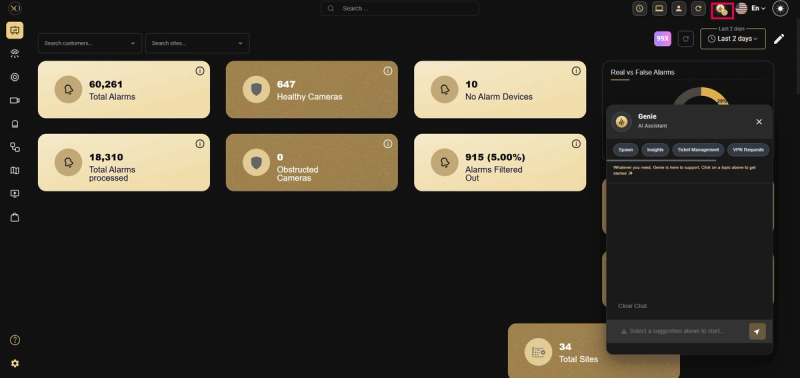
Figure 1: Genie AI Assistant.
Key Capabilities
Genie comes with five built-in topic shortcuts to help you move fast:
- Spawn — Initiate or trigger platform actions quickly.
- Insights — Get summaries and analysis of alarms and system data.
- Ticket Management — Open tickets, close tickets by number, check ticket status, or get a ticket categories summary.
- VPN Requests — Submit and manage VPN-related requests through the assistant.
- Device Setup and Troubleshooting — Get step-by-step guidance on device configuration and connectivity issues.
Beyond shortcuts, Genie lets you:
- Retrieve system information on demand.
- Access alarm and event insights without navigating the dashboard.
- Manage tickets and VPN requests in one place.
- Troubleshoot device setup and connectivity issues.
- Make faster operational decisions with immediate data access.
Add Devices via Genie
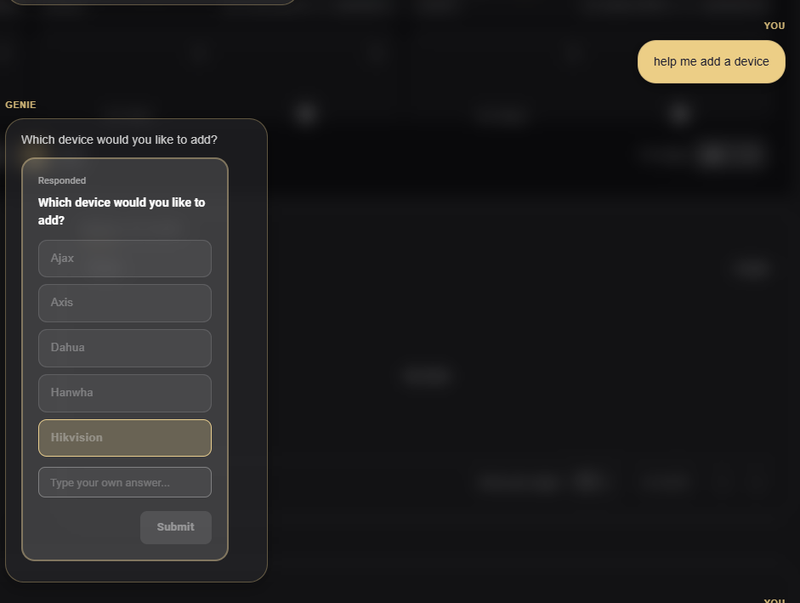
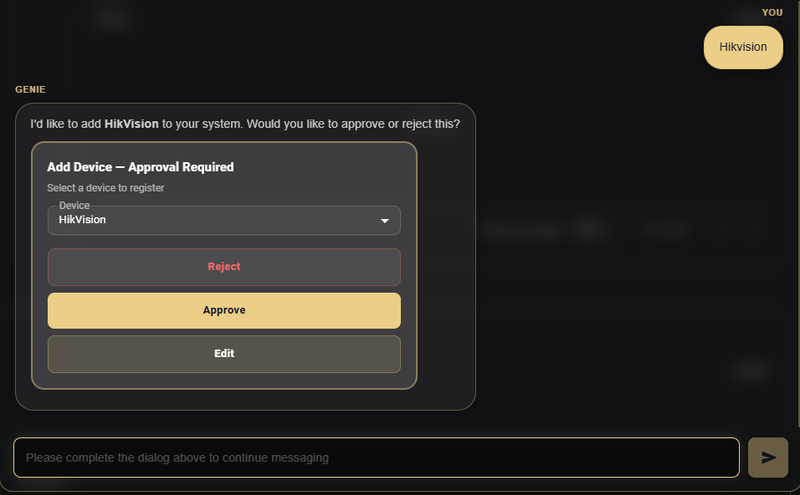
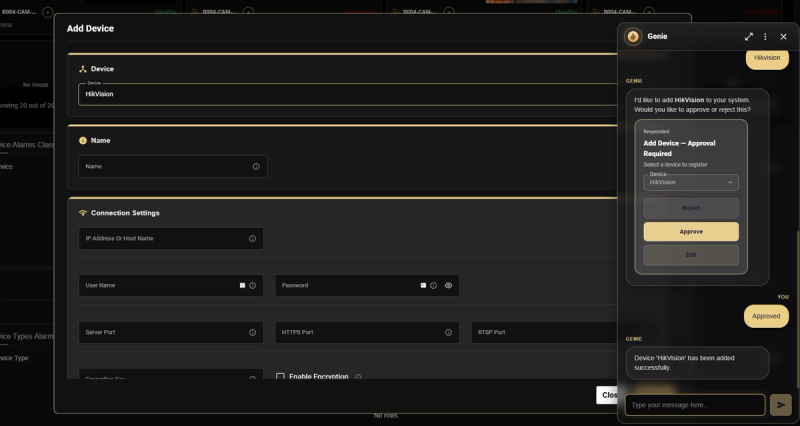
You can now add devices directly through Genie. Start by selecting the device type. Genie prepares the setup and asks for approval before proceeding. Once approved, the device is created and the standard configuration form opens so you can complete connection details like IP, credentials, and ports.
You stay in control the whole time. Review, edit, approve, or reject before anything is added.
Ticket Management
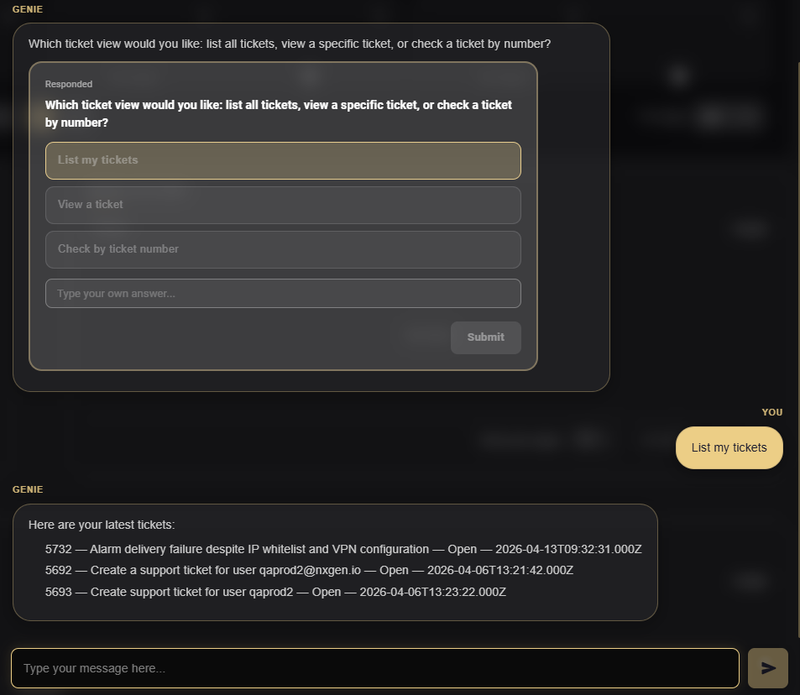
Manage tickets directly through Genie without leaving the chat.
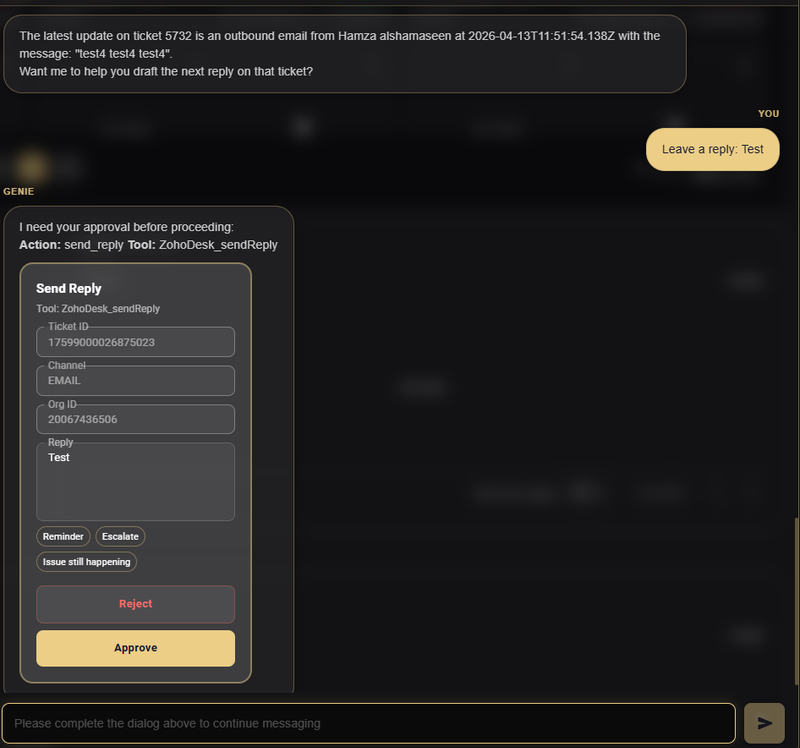
- Reply to tickets by drafting a message and approving it before sending. Genie shows the full action details so you can review before submission.
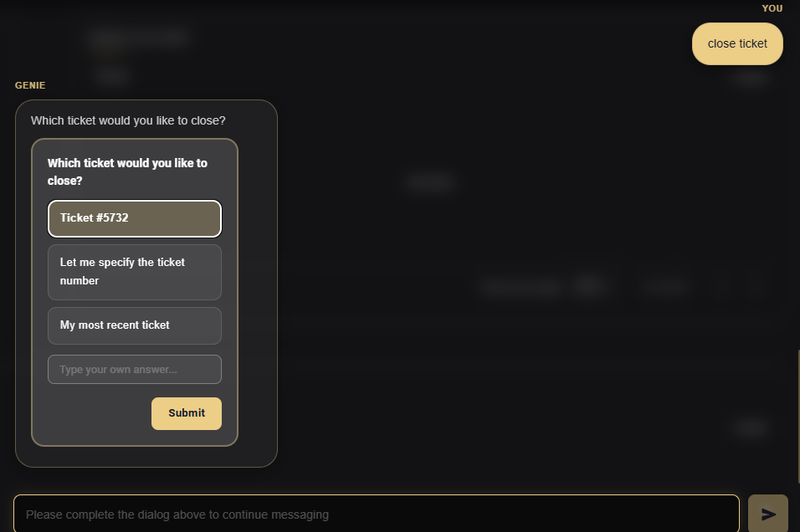
- Close tickets through guided prompts. You can select a recent ticket, choose from suggestions, or enter a specific ticket number.
- All actions require confirmation, giving you full control before anything is applied.
OpenVPN Requests via Genie
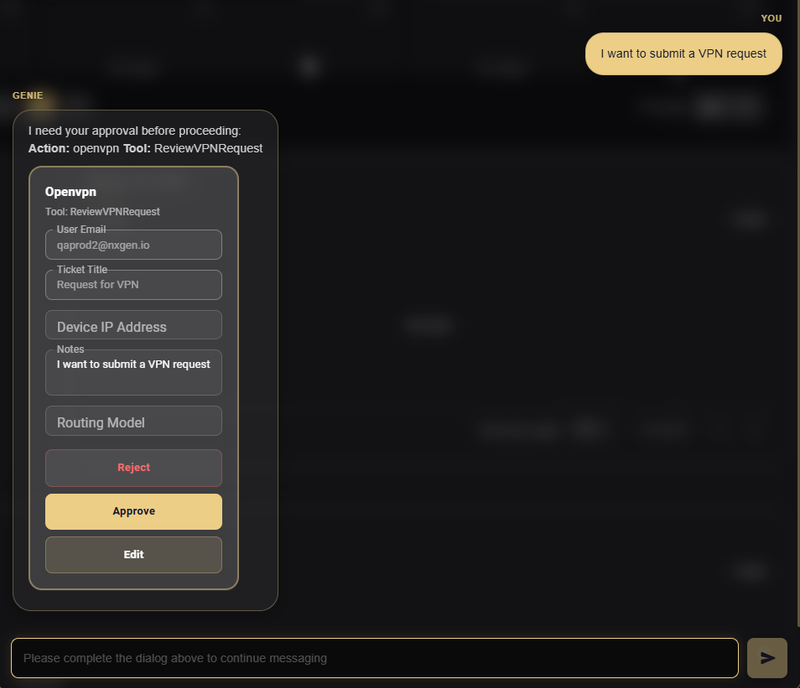
You can now submit and manage OpenVPN requests directly through Genie. Create a request by providing key details like user email, ticket title, device IP, and routing model. Genie prepares the request and presents it for review.
All requests require approval before submission. You can review, edit, or reject before sending, ensuring accuracy and control.
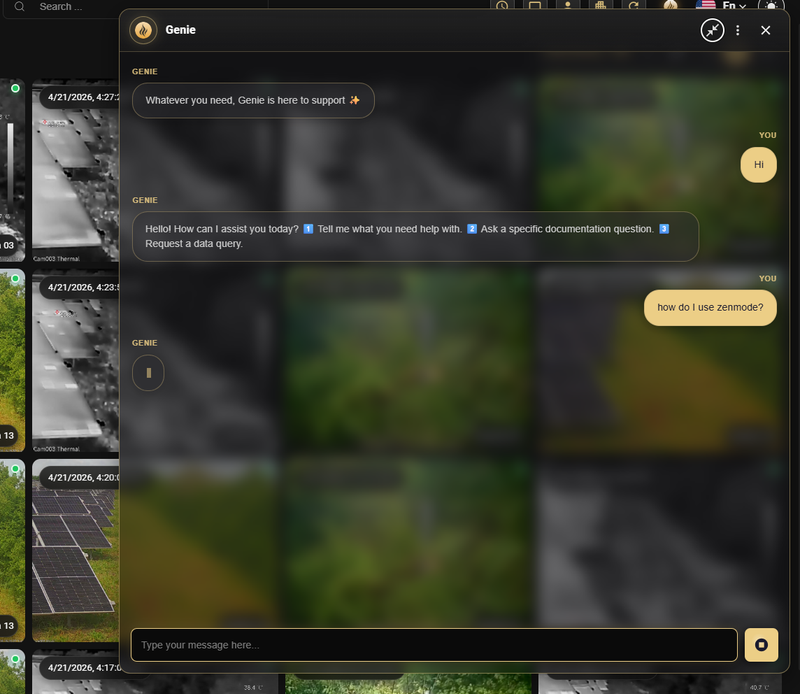
Updated UI & Expandable Chat Window
The Genie assistant has been refreshed with a cleaner look and a more flexible chat experience:
- Updated UI — New branding, refined message bubbles, and a polished input field for a more consistent feel across GCXONE.
- Expandable chat window — Use the expand control in the header to enlarge the Genie panel for longer conversations and better readability.
- Collapse back to the compact view when done.
Real-World Use Cases
- An operator dealing with a high volume of alarms can ask Genie to summarize alarm activity — breaking down passed alarms from filtered alerts — without having to review each entry manually.
- A technician handling repeated connection failures at a site can ask Genie to open a support ticket, check an existing ticket by number, or pull a summary of open ticket categories — all without leaving the dashboard.
- When a new site needs remote access, a user can submit a VPN request directly through Genie instead of going through a separate process or reaching out to support.
- A supervisor who needs a quick read on camera health across sites can ask Genie to surface data on healthy cameras, connection failures, and obstructed cameras — helping the team prioritize where attention is needed.
- A field engineer deploying a new device can ask Genie for step-by-step configuration guidance and resolve connectivity issues on the spot.
Additional Details
You can ask Genie about alarm summaries, ticket status, VPN requests, camera health, and device troubleshooting — just type your question directly, no topic tab required. The tabs are there as shortcuts, not as a requirement.
If Genie doesn't have the answer, it will let you know. For anything outside the platform's operational data, you can always reach out to support.